

Local business listing management sounds like the most boring job in marketing. It is. That is exactly why most of your competitors do it badly, and why it is one of the cheapest edges you can get.
Here is the problem in one sentence. Your business information lives on dozens of sites you do not control, and some of them are wrong right now. An old phone number on Yelp. A previous address on Apple Maps. A duplicate Google profile a former employee made three years ago. Every one of those quietly sends customers somewhere else. This post shows you which listings matter, what wrong looks like, and a simple process to fix it once and keep it fixed.
Table of Contents
Quick Answer
Local business listing management means keeping your business name, address, phone number, hours and website identical and accurate on every platform where customers find you: Google Business Profile, Apple Maps, Bing Places, Yelp, Facebook, your industry directories and the data aggregators that feed hundreds of smaller sites. It matters because, according to BrightLocal, 62 percent of consumers would avoid a business if they found incorrect information online, and because Google says businesses with complete and accurate info are more likely to show up in local results.
Translation: wrong listings cost you customers twice. Once when Google trusts you less, and again when a customer who did find you calls a dead number.
Local Business Listing Management Is Not a One Time Job
Most owners think listings work like a sign. You put it up once and it stays put. That is not how it works.
Your listings are connected. Aggregators collect business information and push it to hundreds of maps, apps and directories. Customers can suggest edits to your hours, your address and even your business name. And every time you change something, the old version keeps floating around for years.
That is why this is management, not setup. The goal is one version of the truth about your business, shown everywhere, all the time.
Why Name, Address and Phone Consistency Matters
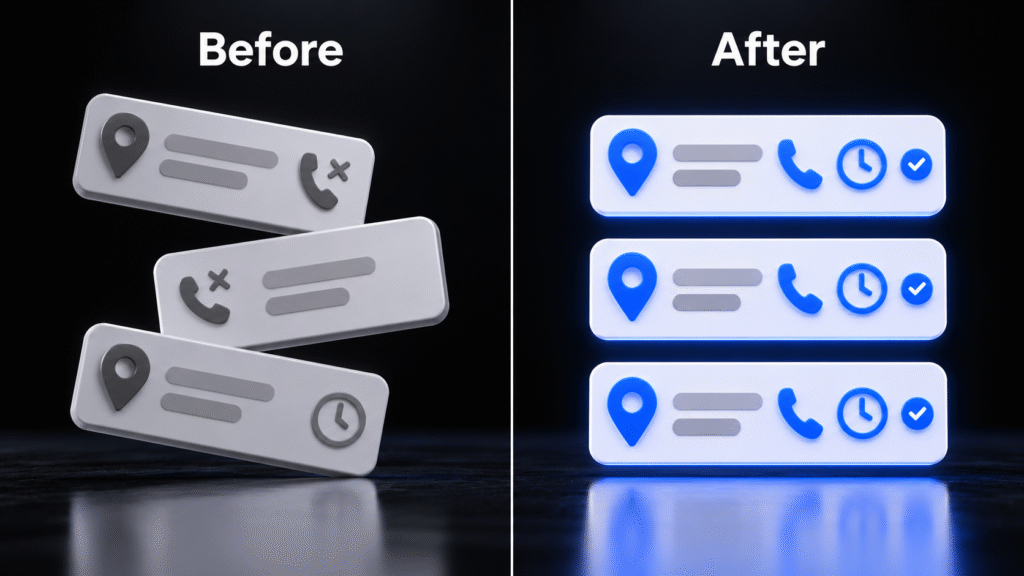
Name, address and phone, usually shortened to NAP, are the three facts every platform uses to decide who you are. When they match everywhere, Google and every other platform can be confident that all those mentions are the same business. When they do not match, you look like two or three different businesses.
The customer side is even simpler. According to BrightLocal’s Local Business Discovery and Trust Report, a survey of 1,138 US consumers published in October 2023, 62 percent would avoid using a business if they found incorrect information online. In the same survey, 26 percent said they show up too early or too late because of wrong opening hours at least once a month. And when they find a wrong address, only 36 percent would call the business. The rest look elsewhere, check other sources, or give up.
On the ranking side, Whitespark’s 2026 Local Search Ranking Factors survey, published in November 2025, scored 187 factors for the local pack. Two stand out here:
- Your website NAP matching your Google Business Profile NAP ranked 15th of 187. That is near the top of the whole list.
- Consistency on the primary maps platforms (Google Maps, Bing Maps, Apple Maps) ranked 28th.
Meanwhile, consistency on data aggregators ranked 85th. So here is the contrarian part: the big platforms and your own website matter far more than the long tail of small directories most citation packages sell.
What does inconsistency actually look like? Usually something like this:
- An old phone number from before you switched carriers or added a call system.
- A previous address still showing after a move, sometimes on a whole second listing.
- Name variations, like “Smith Family Dental” on Google, “Smith Dental LLC” on Yelp and “Dr. John Smith DDS” on a directory.
- Keywords stuffed into the name, like “Smith Dental Best Dentist Austin”. This breaks Google’s guidelines.
- Different hours on your website, your Google profile and Facebook.
- A suite number missing on some listings and present on others.
- Duplicate listings for the same location, often created by a past agency, a former employee or the platform itself.
One reality check. Your listings do not need to match character for character. “St.” versus “Street” is not what loses you customers. A wrong phone number, an old address and a duplicate profile are. Fix the expensive mistakes first.
The Listings That Actually Matter
There are hundreds of directories. You do not need to touch most of them. Here is where your time goes, in order.
Google Business Profile. This is the big one. It controls what people see in the map pack and on Google Maps. Google is clear that your name should reflect your real world name, your address should be precise, and your phone should connect directly to your location. If you have not gone through it in a while, start with our Google Business Profile optimization guide.
Apple Business (formerly Apple Business Connect). Every iPhone owner who asks Siri or opens Apple Maps sees this data. On April 14, 2026, Apple folded Business Connect into a free platform called Apple Business, and existing Business Connect data moved over automatically. Apple also announced ads in Maps search results in the US and Canada starting this summer. If you never claimed your Apple Maps location, you are letting Apple guess.
Bing Places. Fewer searches than Google, but it feeds Bing, Microsoft products and other services. The good news: Bing Places lets you import your information directly from your Google Business Profile, and you can choose to keep it synced.
Yelp. Even if you never ask for Yelp reviews, you probably have a Yelp page. Claim it so you control the phone, hours and website, and so you can reply to reviews.
Facebook. Customers check it for hours and to message you. An abandoned page with old hours hurts you.
Your industry directories. Healthgrades and Zocdoc for clinics, Avvo for lawyers, Angi or Houzz for contractors, OpenTable or Resy for restaurants. These often rank right under your Google profile for your name.
Data aggregators. Data Axle, Foursquare and Localeze (now part of TransUnion) collect business data and push it out to a big network of smaller sites, apps and navigation systems. You fix them once so the wrong data stops spreading.
What to Check on Each Major Listing
| Listing | Why it matters | What to check first |
|---|---|---|
| Google Business Profile | Map pack, Google Maps and most branded searches | Name, address, phone, hours, holiday hours, primary category, duplicates |
| Apple Business (Apple Maps) | Siri, Apple Maps and iPhone searches | Location claimed, NAP, hours, photos, website |
| Bing Places | Bing, Microsoft products and partner services | Import or sync from Google, then confirm NAP and hours |
| Yelp | Ranks for your name, heavy review traffic | Claimed, phone, hours, website, no duplicate page |
| Hours, messages and social proof | Address, phone, hours, link to your site, someone answering messages | |
| Industry directories | Rank under your profile for branded searches | Correct practitioners or services, NAP, booking links |
| Data aggregators | Feed hundreds of smaller sites and apps | Current NAP submitted so old data stops spreading |
| Your own website | Ranked 15th of 187 local pack factors when it matches your profile | NAP in the footer and contact page, same hours, same services |
Notice the last row. Your website is a listing too, and it is the only one you fully control. If your website and your Google profile disagree, every other platform has two versions of you to choose from.
Duplicates, Moves and Rebrands: Where Listings Break
Most listing disasters happen at three moments. Plan for them.
Duplicates. Google allows one Business Profile per business, and one per location. According to Google’s help center, if a profile is considered a duplicate, it will not show on Search or Maps. If you made a duplicate by mistake, you can remove it without affecting your verified listing. If someone else owns a verified profile for your business, you can request access, and the owner has three days to respond before you may get the option to claim it. On Maps, duplicates can be merged through a suggested edit, but Google warns that replies to reviews may be lost.
Moves. Do not create a new Google profile when you move. Google’s own guidance is to update the existing profile with the new address. A new profile throws away your reviews and history, and leaves the old listing out there competing with you. After Google, update Apple, Bing, Yelp, Facebook, your directories and the aggregators in the same week. Then your website and anything printed.
Rebrands. A new name is a new set of NAP data. Change the name everywhere at once, not over six months. Use your real world name, the one on your sign and paperwork, not a marketing phrase. If you are planning a rebrand, line up your listings before launch day, the same way you would line up your logo, signage and brand identity.
One more trap: a new phone number or call system is a NAP change too. Treat it like a small move.
How to Audit Your Listings: Find, Fix, Lock
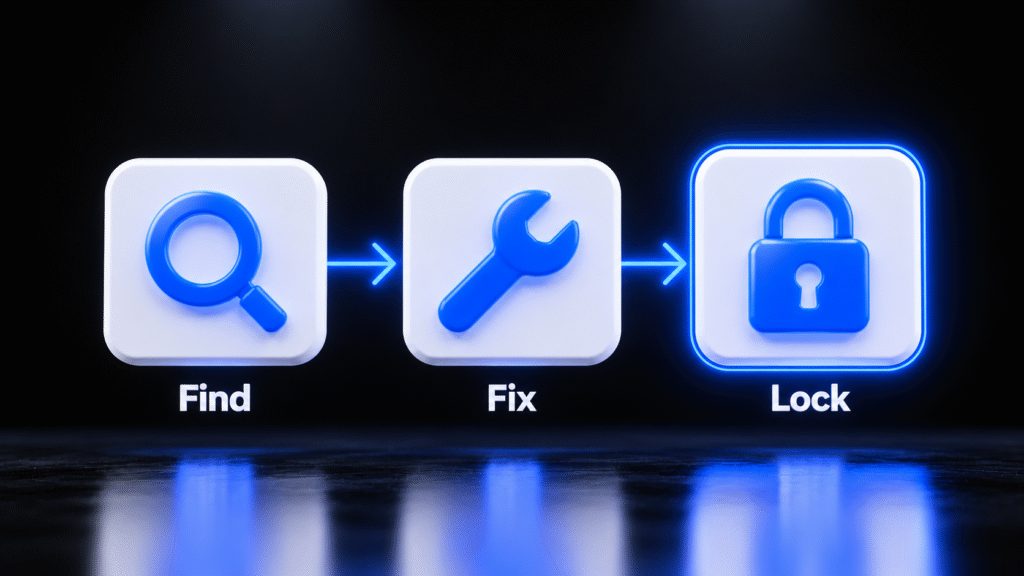
You do not need software to start. You need one afternoon and a spreadsheet. Here is the process.
Step 1: Write down your one version of the truth. Exact business name, address formatted the way the post office does it, main phone, website, regular hours and holiday hours. This is your master record. Every listing gets compared against it.
Step 2: Find. Search Google for your business name, your phone number and your old address and old phone number if you have them. Old data finds the listings you forgot. Then check each platform from the table above directly, in its own app or site. Log every listing in your spreadsheet with a link and a note: correct, wrong or duplicate.
Step 3: Fix. Work in order of impact:
- Google Business Profile and your website first, because they match each other or they do not.
- Apple Business and Bing Places next. Import Bing from Google to save time.
- Yelp, Facebook and your industry directories.
- Data aggregators last, so the corrected data starts spreading to the long tail.
- Duplicates as you find them, using each platform’s removal or merge process.
Claim every listing you fix. Unclaimed listings can be edited by anyone, and you get no notice.
Step 4: Lock. This is the step everyone skips. Fixing is a one time event. Locking is what keeps it fixed:
- Use one shared login email for all listings, owned by the business, not by an employee or an old agency.
- Turn on notifications so you hear about suggested edits and new reviews.
- Put a reminder on your calendar every quarter to check the top listings against your master record and add holiday hours.
- Make listing updates part of any move, phone change or rebrand checklist.
Local Business Listing Management Checklist for This Week
- Write your master record: name, address, phone, website, hours, holiday hours.
- Check your Google Business Profile against it, line by line, including special hours for upcoming holidays.
- Check your website footer and contact page so they match your profile exactly.
- Claim or update Apple Business. If you had Business Connect, confirm everything moved over correctly.
- Set up Bing Places by importing from Google.
- Search your old phone number and old address to find forgotten listings.
- Remove or merge duplicates using each platform’s process.
- Claim Yelp and Facebook and fix their hours and phone.
- Move every login to one business owned email.
- Set a quarterly calendar reminder to repeat the check.
While you are in your profile, look at your reviews too. Accurate listings get you found. Reviews and how you respond to Google reviews decide whether people pick you.
And make sure the phone on all those listings actually gets answered. If calls ring out, you did all this work to hand the customer to a competitor. That is the case for an AI receptionist for small business.
Where BizWarrior Fits
BizWarrior is a young agency that helps local businesses get more clients with software and marketing that sell. Listing management is one of those every week jobs we take off your plate, so your information stays right after the first cleanup, not just on day one.
That usually means building your master record, fixing Google, Apple, Bing and your key directories, cleaning up duplicates, and making sure your website says exactly what your profiles say. If missed calls are where those listings leak, our custom AI receptionist is built to answer them. You can see everything we do here.
Not sure how messy your listings are? Talk to us. We will check your top listings with you and tell you plainly what to fix first.
Frequently Asked Questions
What is local business listing management?
It is the ongoing work of keeping your business name, address, phone, hours and website accurate and identical on every platform customers use to find you. That includes Google Business Profile, Apple Maps, Bing Places, Yelp, Facebook, industry directories and data aggregators. It is ongoing because platforms copy from each other, customers suggest edits, and old information keeps spreading if nobody watches it.
Does NAP consistency still matter for local SEO?
Yes. In Whitespark’s 2026 Local Search Ranking Factors survey, your website NAP matching your Google Business Profile ranked 15th of 187 local pack factors, and consistency across Google, Bing and Apple Maps ranked 28th. Consistency on smaller data aggregators ranked much lower, so focus on the big platforms and your own website first.
How do I find all my business listings?
Search Google for your business name, your current phone number, and any old phone numbers or addresses you have used. Old data is how you find forgotten listings. Then check Google Business Profile, Apple Maps, Bing Places, Yelp, Facebook and your industry directories directly, and log each one in a spreadsheet as correct, wrong or duplicate.
What should I do about a duplicate Google Business Profile?
Google allows one profile per business location, and duplicates do not show on Search or Maps. If you created the duplicate, you can remove it without affecting your verified listing. If someone else owns a verified profile for your business, request access through Google. Duplicates on Maps can be merged through a suggested edit, though review replies may be lost.
Should I create a new Google profile when my business moves?
No. Google’s guidance is to update your existing profile with the new address. A new profile throws away your reviews and history and leaves the old listing competing with you. After Google, update Apple, Bing, Yelp, Facebook, your directories, the data aggregators and your website in the same week.
Do I still need Apple Business Connect?
Apple Business Connect became part of Apple Business on April 14, 2026. Apple Business is free, and existing Business Connect data moved over automatically. If you never claimed your Apple Maps location, claim it now so you control the name, address, phone, hours and photos iPhone users see in Maps and Siri.
How often should I check my business listings?
Do a full find, fix and lock audit once, then check your top listings against your master record every quarter. Also check right away after any move, phone number change, rebrand or change in hours. Add holiday hours on your quarterly check so customers never show up to a closed door.
Sources
- BrightLocal, Local Business Discovery and Trust Report (October 11, 2023): https://www.brightlocal.com/research/local-business-discovery-trust-report/
- Whitespark, Local Search Ranking Factors (2026 edition, published November 6, 2025): https://whitespark.ca/whats-working-in-local-seo
- Apple Newsroom, Introducing Apple Business, a new all in one platform for businesses of all sizes (March 24, 2026): https://www.apple.com/newsroom/2026/03/introducing-apple-business-a-new-all-in-one-platform-for-businesses-of-all-sizes/
- Google Business Profile Help, Guidelines for representing your business on Google: https://support.google.com/business/answer/3038177
- Google Business Profile Help, Resolve duplicate profiles and ownership issues: https://support.google.com/business/answer/12756178
- Google Business Profile Help, Tips to improve your local ranking on Google: https://support.google.com/business/answer/7091
- Widewail, How to sync Bing Places with Google Business Profile (September 17, 2024): https://widewail.com/blog/how-to-sync-bing-places-with-gbp-for-local-seo-success