

An AI receptionist for small business does one job: it answers the phone when nobody else can. That sounds small. It is not. For most local businesses the phone is still where the money comes in, and a call that rings out is a customer who goes to the next name on the list.
This is not a pitch for robots. Most of your customers do not want to talk to AI, and the data says so. They want an answer, a booking, or a real person when it matters. Below: what an AI receptionist should and should never do, when a human takes over, what to look for, and a test you can run on your own phone line this week.
Table of Contents
Quick Answer
An ai receptionist for small business is a voice agent that answers the calls you would otherwise miss. A good one picks up right away, says it is an AI assistant, finds out what the caller needs, answers common questions from information you approved, books the appointment or takes a detailed message, and transfers to a human for emergencies, complaints, or anything it is not sure about. It is a backstop for your team, not a replacement.
If your phone goes to voicemail during jobs, lunch, after hours or busy rushes, it is worth a look. If you already answer every call live and call back within minutes, fix something else first.
What an AI Receptionist for Small Business Actually Does
Forget the hype. An AI receptionist is software that answers your phone with a natural sounding voice and holds a real conversation. Not a phone tree. Not voicemail with a nicer greeting. The caller talks normally and it talks back.
It works from what you give it: your services, hours, booking rules and common questions. Nothing else.
How it compares to what you use today:
- Voicemail: takes a message, if the caller leaves one.
- Phone tree: routes calls with button presses. Callers hate it, and it cannot book anything.
- Live answering service: real people working from a script. Many only take messages.
- AI receptionist: answers every call at once, answers approved questions, books into your calendar, and hands off to a person. Weak spot: anything messy, emotional or unusual.
That last line matters. We will come back to it.
What Missed Calls and Voicemail Really Cost You
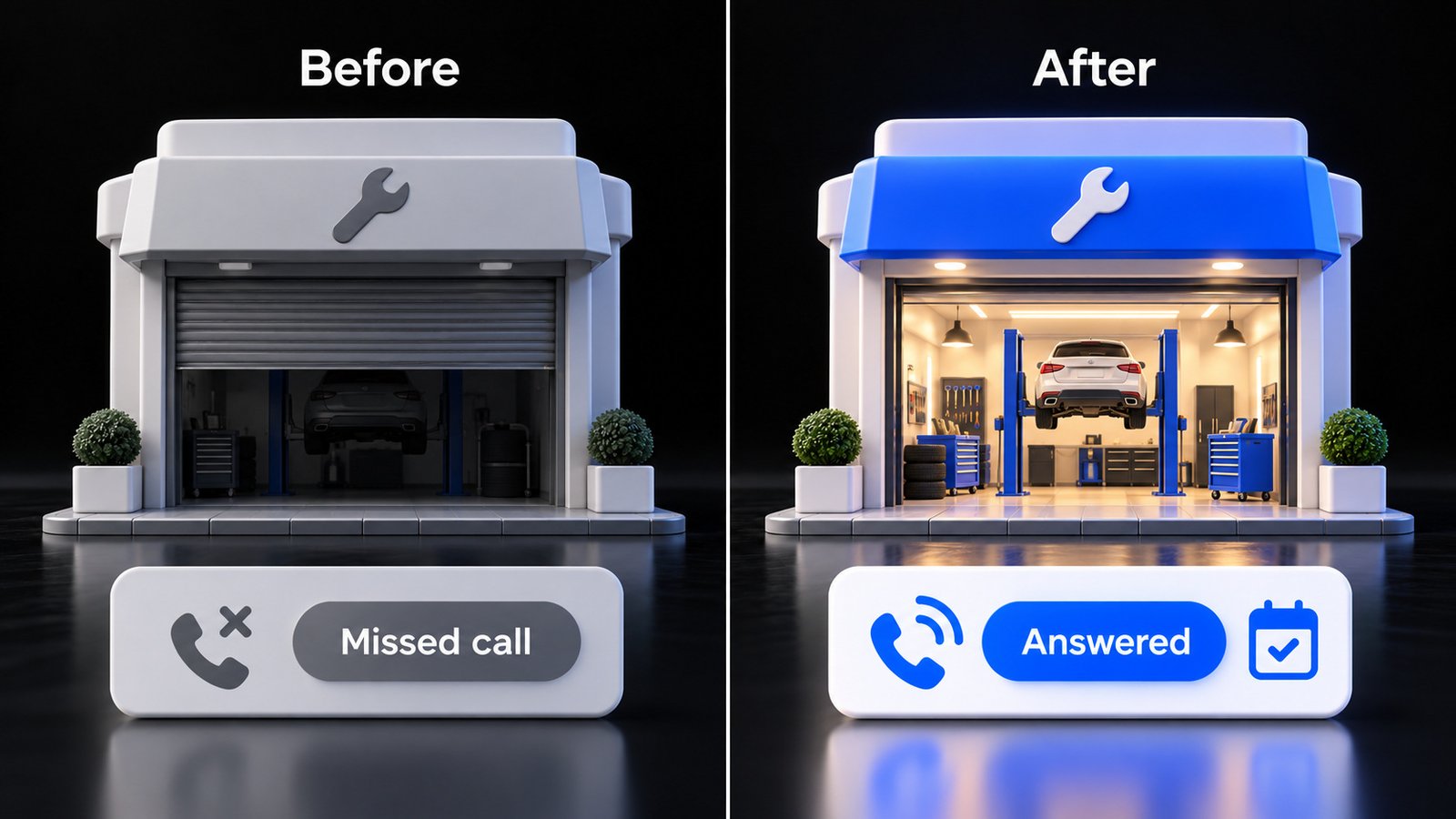
Think about who calls a local business. Someone with a leaking water heater. Someone with a toothache. Someone who wants a table for six tonight. These are not browsers. They are ready to buy, and they often call more than one business.
When your phone rings out, you do not lose a call. You lose the job behind it, and you never learn how big it was.
Most owners think voicemail and a quick callback cover it. They do not, for two reasons.
Reason one: voicemail is where urgent callers hang up. Someone with a problem right now will not wait for your callback. They tap the next listing in the map pack. Whoever answers first usually gets the job.
Reason two: your callback probably will not get answered. According to a 2020 Pew Research Center survey, 80 percent of Americans say they generally do not answer their cellphone when an unknown number calls. To a first time caller, your business number is an unknown number. So your rescue callback often lands in their voicemail, and now you are the one waiting.
Then there is the cost nobody counts. Every ad dollar, every review, every hour spent on your Google Business Profile exists to make the phone ring. A missed call throws that away at the last step. You paid to get the customer to your door, then left it locked.
You do not need an industry statistic to know your own number. Count last month’s missed calls. Multiply by what a new customer is worth to you over a year. Even if only a fraction would have booked, that is the real cost of voicemail.
What an AI Receptionist Should Do (and What It Should Never Do)
A good AI receptionist is boring. It does a few things well and refuses to do the rest.
It should:
- Answer fast, every time, including nights and weekends.
- Say clearly that the caller is talking to an AI assistant for your business.
- Get the caller’s name, number and reason for calling early.
- Answer common questions from information you approved: hours, service area, what you offer.
- Book, reschedule or cancel appointments inside the rules you set.
- Send you a short summary of every call.
It should never:
- Quote prices or promise outcomes you did not approve word for word.
- Give medical, legal, financial or safety advice.
- Make up an answer. “Let me have someone call you back” is a fine answer.
- Pretend to be a human, or dodge the question when someone asks.
- Trap a caller who asks for a person.
- Collect sensitive information it does not need, like card numbers.
The honest limits. Even good systems mishear names, struggle with bad connections, and get confused when a caller packs three requests into one sentence. Some callers hang up the second they hear AI. And if your hours change and nobody updates it, it will confidently give callers the old ones. Treat it like a new hire: train it, check its work, and keep it on a short list of jobs.
When a Human Must Take Over
Here is what most AI pitches skip. According to a Gartner survey of 5,728 customers published in July 2024, 64 percent said they would prefer that companies did not use AI for customer service, and 53 percent said they would consider switching to a competitor if a company was going to use it. The top concern was not jobs. It was difficulty reaching a person.
Read that as an instruction, not a reason to quit. Customers are not against fast answers. They are against being trapped. Your handoff rules are the most important thing you set up.
Send the call to a human, or flag it for an immediate callback, when:
- It is an emergency. Flooding, no heat in winter, a gas smell, severe pain. If there is any risk to someone’s safety, your script should tell the caller to hang up and call 911 first.
- The caller is upset. A complaint handled by a person can save the relationship. One handled by a bot often turns into a one star review you have to respond to.
- The caller asks for a person. Once is enough. No loops.
- Money or commitments are on the table. Disputes, refunds, custom quotes, big jobs.
- It is not sure. Low confidence should mean a handoff, never a guess.
- It is a client you handle personally. Your best customers should never feel processed.
When nobody can take the transfer, it should take a detailed message, tell the caller when to expect a call back, and text the right person right away. “Someone will get back to you” is not a plan. “Mike will call you back within 30 minutes” is.
How an AI Receptionist for Small Business Works, Step by Step
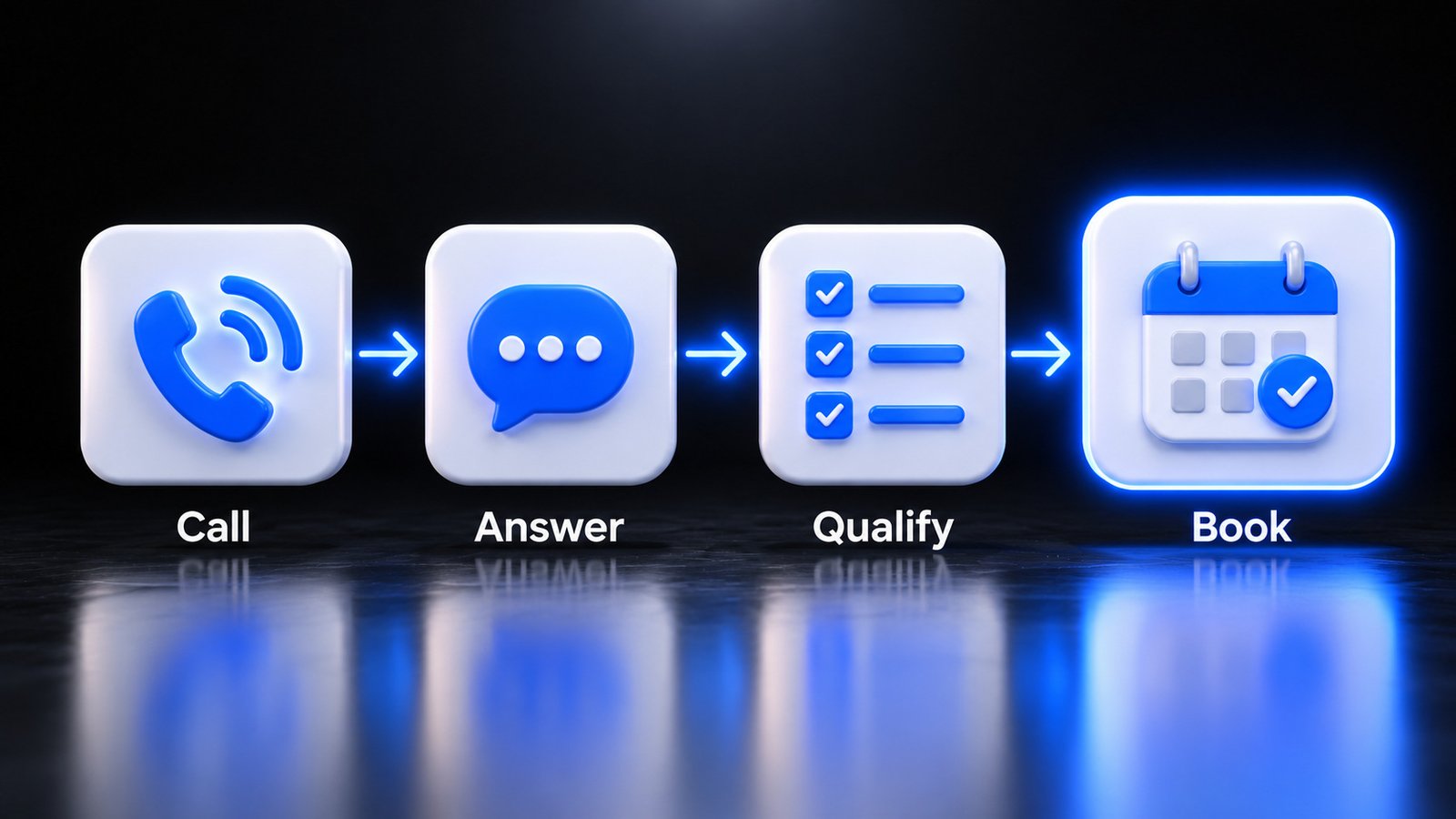
Step 1: The call comes in. Either the AI answers your main number directly, or your phone forwards to it when nobody picks up, when the line is busy, or after hours. Start with forwarding. Your team still answers first. The AI catches what they miss.
Step 2: It answers and discloses. Something like: “Thanks for calling [your business]. I’m the virtual assistant, and this call may be recorded. How can I help?”
Step 3: It captures the basics. Name, number and reason for the call, early. If the caller hangs up halfway, you still have a lead.
Step 4: It qualifies. This is where it earns its keep. It asks what your best front desk person would ask. New or existing customer? Which service? Inside your service area? How urgent? Which insurance? The questions are yours. The AI just asks them on every call, without getting tired at 9 p.m.
Step 5: It books or routes. If the caller is a fit, it books a slot inside your rules: job types, buffer time, which staff do what. If the call hits a handoff rule, it transfers to a human or sends an urgent alert. If the caller is not a fit, it says so politely.
Step 6: It follows up. You get a summary: who called, what they wanted, what was booked, what a human needs to do next. Your team picks up where the AI left off, without making the customer repeat everything.
The steps are simple. The quality comes from your questions, booking rules and handoff rules.
What to Look For Before You Choose One
Demos always sound great. Here is how to tell what will hold up on your phone line.
| What to check | Why it matters | Question to ask |
|---|---|---|
| Easy handoff to a human | Reaching a person is the top customer concern about AI | How does a caller reach a person, and what happens if nobody picks up? |
| Clear AI disclosure | Hiding it backfires when callers figure it out | What does the greeting say, and can I edit it? |
| Calendar booking | Booking is where most of the value is | Does it book straight into the calendar or booking software I already use? |
| Answers limited to your information | Made up answers cost customers and create risk | What does it say when it does not know something? |
| Call summaries and recordings | You need to check its work every week | Where do I see transcripts, and how long are they kept? |
| Data handling | Callers share personal details | Where is call data stored, who can access it, and will you sign a business associate agreement if I need one? |
Privacy, recording and disclosure basics. This is general information, not legal advice. Three things to get right:
- Recording consent varies by state. According to Justia’s 50-state survey, most states only require one person on the call to consent to a recording, but several, including California, Florida, Maryland, Massachusetts, New Hampshire, Pennsylvania and Washington, require everyone on the call to agree. The simple habit: announce the recording at the start of every call.
- Health information has extra rules. If your practice is covered by HIPAA, the U.S. Department of Health and Human Services explains that a vendor handling patient information for you is generally a business associate, and you need a business associate agreement before it handles that information.
- Outbound AI calls are a different game. In February 2024 the FCC ruled that calls made with AI-generated voices count as “artificial” under the Telephone Consumer Protection Act, the law behind the robocall rules. If your system also calls people (reminders, follow ups), those consent rules come into play. Talk to a lawyer first.
And always tell callers they are talking to AI. Disclosure rules are still being written state by state. Being upfront costs nothing and protects the trust you have built.
Test Your Own Phone Line This Week
Before you buy anything, find out how big the problem is. This takes about an hour, spread over a few days.
- Count your missed calls. Last 30 days, split into business hours and after hours.
- Call your business at 10 a.m. on a weekday from a number your team does not know. Count the rings.
- Call again at lunch, at 5:30 p.m. and on Saturday morning. These are the gaps most owners never see.
- Leave a voicemail and time the callback. As a customer, would you still be waiting?
- Listen to your own greeting. Does it say what to do in an emergency, or just “leave a message”?
- Check your Google Business Profile. Confirm the phone number and hours. A wrong number is a missed call you will never see.
- Write down the 10 questions callers ask most. An AI receptionist needs this first. If you skip the AI, it is a great cheat sheet for staff.
- Write your handoff rules. Which calls must always reach a person, and who takes them?
If you answer almost every call live, you are in good shape. Spend your energy elsewhere. If you found a pile of missed calls after 5 p.m. or on weekends, you just found your leak.
Where BizWarrior Fits
BizWarrior is a young agency that helps local businesses get more clients with software and marketing that sell. Our custom AI receptionist is a voice agent built around your business: your services, your common questions, your booking rules and your handoff rules. It is designed to answer on a local number, capture caller details, book appointments and transfer the calls that need a person.
We set it up the way this post describes: a backstop for your team, not a replacement. It says it is AI, hands off when it should, and logs calls so you can check its work. We also work on what makes the phone ring, like your website and local ads. You can see everything we do here.
Not sure missed calls are really your problem? Run the checklist above, then talk to us. We will look at your numbers with you and tell you plainly whether an AI receptionist makes sense, or whether something else should come first.
Frequently Asked Questions
What is an AI receptionist for a small business?
An AI receptionist is a voice agent that answers your business phone, talks with callers in natural language, answers common questions from information you approve, books appointments and transfers calls to a person when needed. Most small businesses use it as a backstop for calls their team misses during busy hours, after hours and weekends.
Will customers know they are talking to AI?
They should. A good setup says it is an AI assistant in the greeting and answers honestly if asked. According to a 2024 Gartner survey, 64 percent of customers would prefer companies not use AI for customer service, and their top concern is reaching a person. Disclosure plus an easy handoff protects their trust.
Can an AI receptionist replace my front desk staff?
For most local businesses, no, and it should not try. It is good at answering instantly, asking the same qualifying questions every time and booking routine appointments. It is weak with upset callers, emergencies, unusual requests and anything that needs judgment. Use it to catch missed calls and take repetitive work off your team.
Is voicemail plus a callback good enough?
Often not. Urgent callers tend to hang up and call the next business. And callbacks are hard to complete: according to a 2020 Pew Research Center survey, 80 percent of Americans say they generally do not answer calls from unknown numbers. Many will never pick up your callback.
Is it legal to record calls with an AI receptionist?
Recording rules vary by state. Most states require only one person’s consent, but several, including California, Florida and Pennsylvania, require everyone on the call to agree. The simple habit is to announce the recording at the start of every call. Healthcare practices have extra HIPAA requirements. This is general information, not legal advice.
Which businesses benefit most from an AI receptionist?
Businesses where calls are frequent, urgent or come in while staff are busy: home service crews on job sites, dental offices and clinics with a packed front desk, salons and med spas in the middle of appointments, restaurants during rushes and auto shops. If you answer nearly every call live, the benefit is smaller.
Sources
- Pew Research Center, Most Americans don’t answer cellphone calls from unknown numbers (December 14, 2020): https://www.pewresearch.org/short-reads/2020/12/14/most-americans-dont-answer-cellphone-calls-from-unknown-numbers/
- Gartner, Gartner Survey Finds 64% of Customers Would Prefer That Companies Didn’t Use AI for Customer Service (July 9, 2024): https://www.gartner.com/en/newsroom/press-releases/2024-07-09-gartner-survey-finds-64-percent-of-customers-would-prefer-that-companies-didnt-use-ai-for-customer-service
- Federal Communications Commission, FCC Makes AI-Generated Voices in Robocalls Illegal (February 8, 2024): https://docs.fcc.gov/public/attachments/DOC-400393A1.pdf
- Justia, Recording Phone Calls and Conversations: 50-State Survey (last reviewed September 2024): https://www.justia.com/50-state-surveys/recording-phone-calls-and-conversations
- U.S. Department of Health and Human Services, Business Associates (HIPAA guidance): https://www.hhs.gov/hipaa/for-professionals/privacy/guidance/business-associates/index.html